
For farriers · the Farrier Flow app
Your whole
farrier day,
in one app.
Who is due, yard by yard. Every client and what they owe. Invoices sent from the yard. Stock on the bakkie, the logbook, and what you actually make. Built by a working farrier, and it works with no signal.
Then R199 a month, or R1,990 a year. Cancel any time in the app.
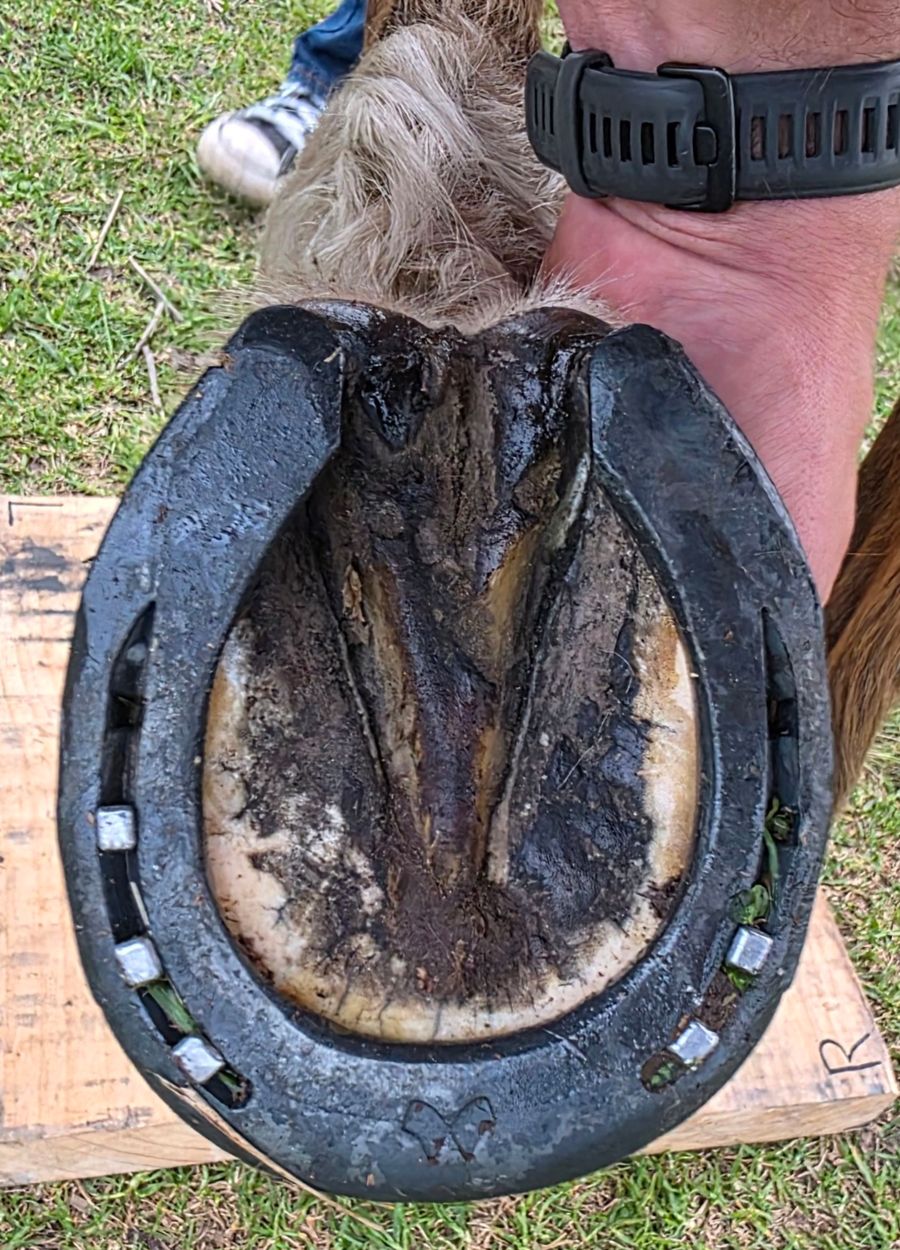
- Works with no signal
- Built by a working farrier
- Your records are yours to export
What it does
The yard, the bakkie
and the books.
One icon on your phone for the whole job, so nothing lives on scraps of paper, in three apps and a spreadsheet.
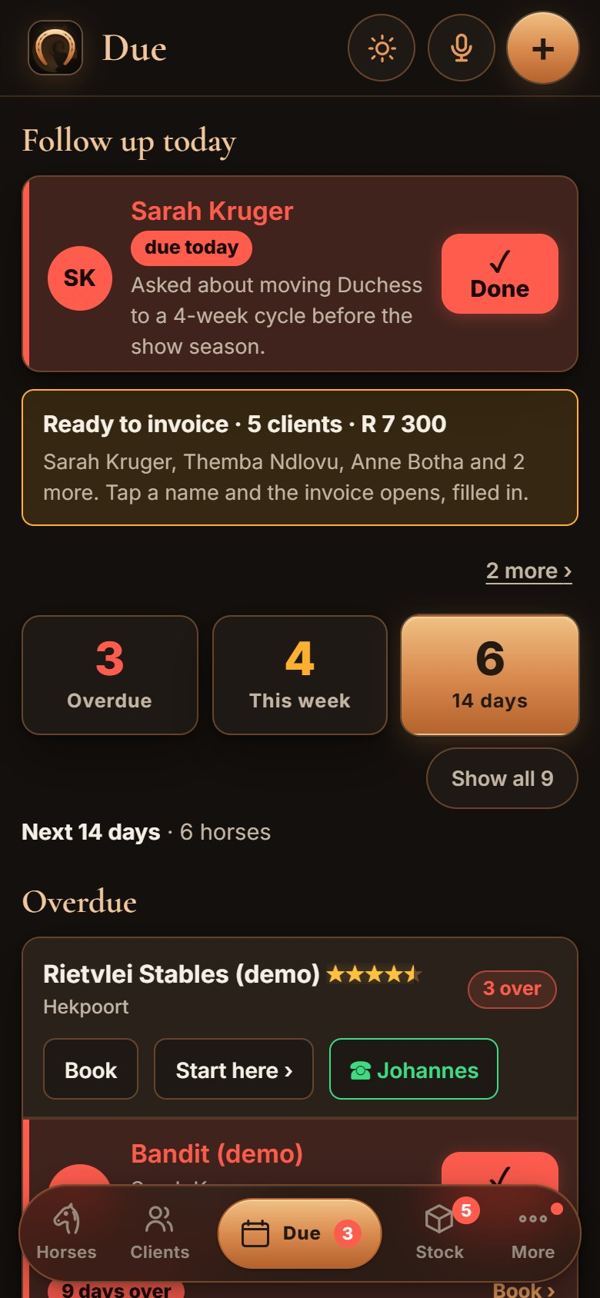
Due: overdue, this week and the next 14 days, by yard in driving order. Done in one tap. 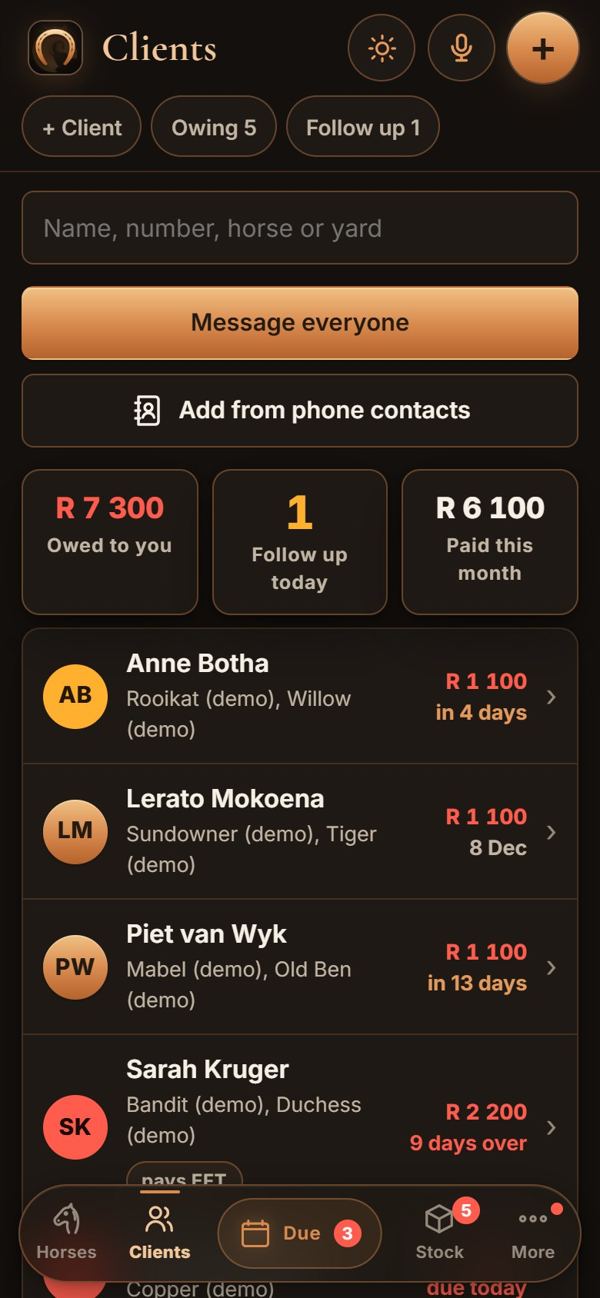
Clients: who owes what, follow-ups, and a message to everyone at once. 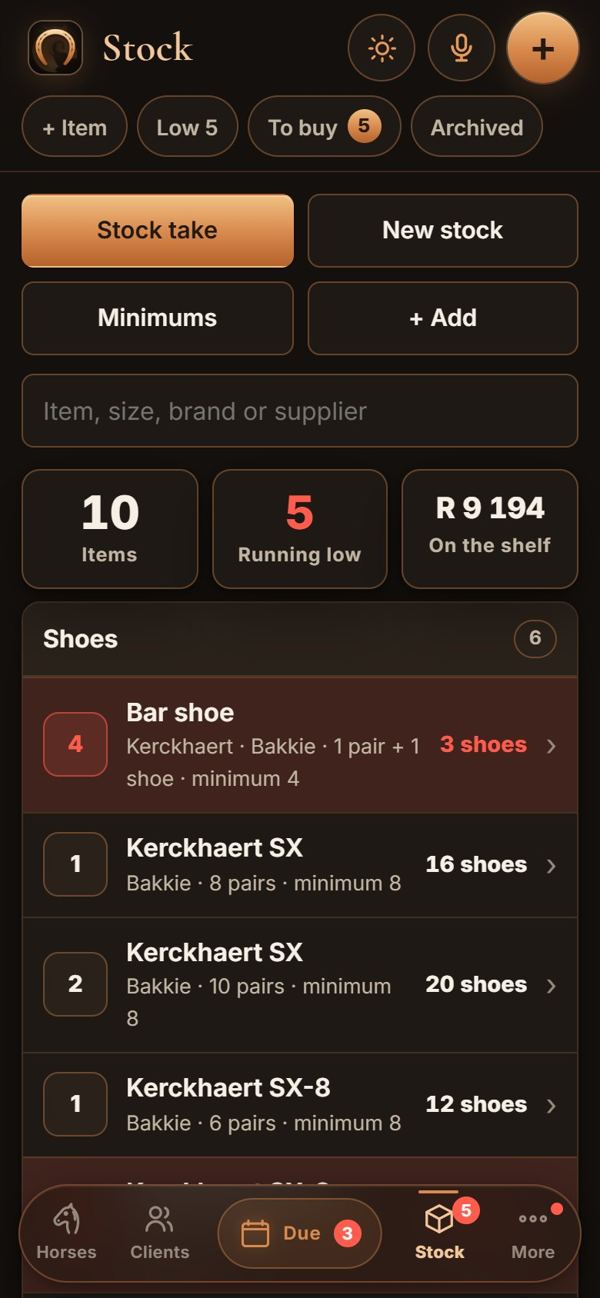
Stock: shoes in pairs, nails by the box, and what to buy before you run out. 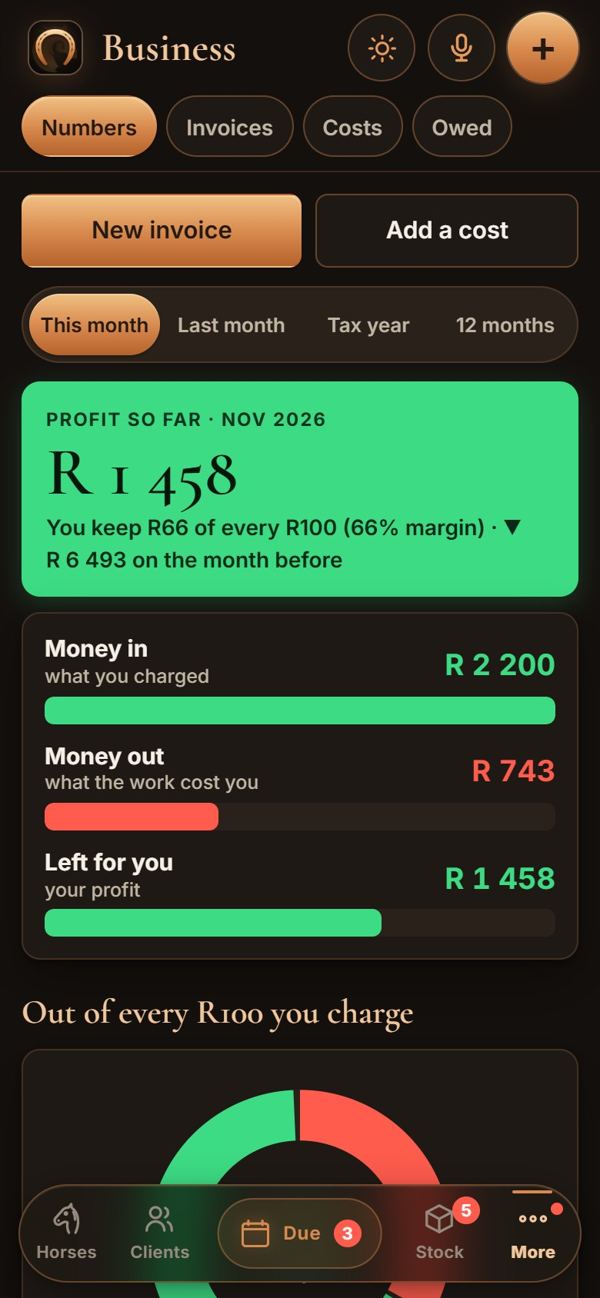
Your numbers: what came in, what the work cost, and what was left for you.
Who is due
Every horse on its own cycle. Overdue, this week and the next two weeks, grouped by yard in driving order. Done logs the visit as a repeat of last time: the shoes, the stock off the shelf and the charge. A note in the morning says who is due today.
Clients and money
What each client owes, statements, and reminders written for WhatsApp or email. Invoices, quotes and credit notes as real PDFs, sent from the yard, with your pay link and banking details on every one.
Stock
Shoes counted in pairs, nails by the box, pads, clips and sizes picked from a list. Each visit takes what it used off the shelf, and the shopping list builds itself before you run out.
Logbook and costs
Log a drive with one odometer photo a day. Photograph a fuel or stock slip and it is sorted. Bring in your bank statement and payments are matched to the right client.
What you actually make
Profit for the month in plain words: money in, what the work cost you, travel included, and what was left. A warning when a job or a yard is costing you money, and a VAT report when you need one.
Say it, and it’s logged
Tap the mic in the bakkie: “did Bandit and Max at Rietvlei, full sets, odometer 84 210”. You check the cards, one tap logs it all. 50 credits a month come with the plan.
Connected to the owner
Your visit lands
in their diary.
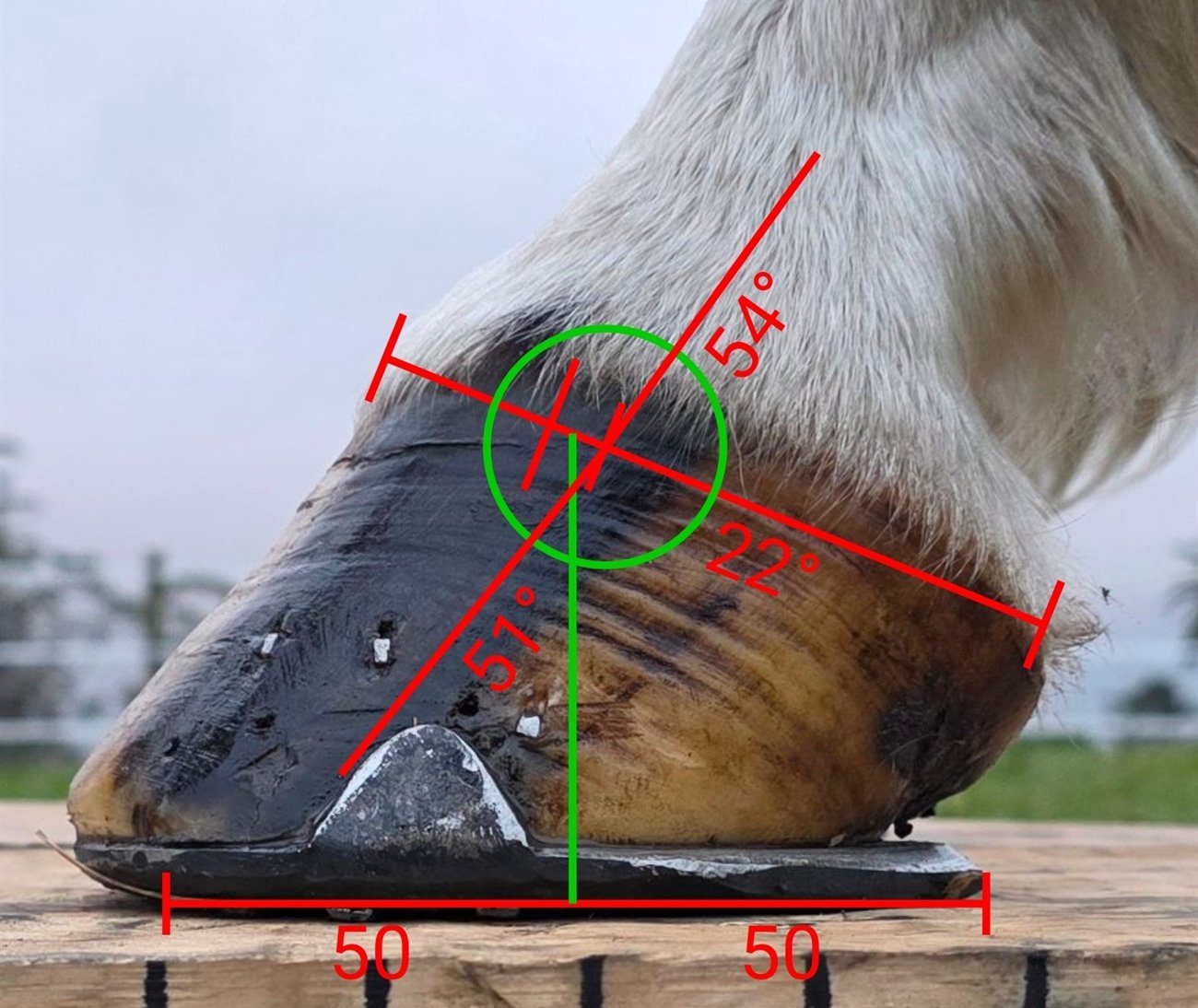
When an owner uses the Horse Flow app, link the horse once. Every visit you save goes straight to their diary: the date, the job, front and hind shoes, your notes, the price and the next date. It goes as soon as your phone has signal, with no message to type.
Your measurements and working notes stay with you. Nothing else goes across.
The plan
One plan.
Everything in it.
No charge per horse or per client, and no add-ons to unlock. Every part of the app on this page is in it.
Monthly
14 days to try it for R5, then monthly.
R199 a month
- Due list, morning notes and the yard run
- Clients, statements, invoices, quotes and credit notes
- Stock, suppliers and the shopping list
- Logbook, costs, slips and bank statements
- Your profit each month, warnings and the VAT report
- The voice assistant, 50 credits a month
- A daily backup to your account, restored on a new phone in one tap
Yearly
Pay once for the year.
R1,990 a year
- Due list, morning notes and the yard run
- Clients, statements, invoices, quotes and credit notes
- Stock, suppliers and the shopping list
- Logbook, costs, slips and bank statements
- Your profit each month, warnings and the VAT report
- The voice assistant, 50 credits a month
- A daily backup to your account, restored on a new phone in one tap
The price you see is the price you pay. More assistant credits can be bought in the app when you need them.
Getting started
On your phone
in five minutes.
- 1
Open the app and make your account
Tap the button on this page. Farrier Flow opens in your phone’s browser: your name, your email and a password. Already use the Horse Flow app? The same account works.
- 2
Pick your plan and pay
The app shows the plan and opens the checkout, already signed in as you. Come back to the app and it notices by itself.
- 3
Put it on your home screen
On an iPhone: Share, then Add to Home Screen. On Android: the menu, then Install app. It opens like any other app; on an iPhone, sign in once more from the icon.
- 4
Bring your book across
Your business details, your prices and your bakkie, then your clients and horses: typed in, or brought in from a spreadsheet, or a PDF or photo of your old book.

Who made it
A farrier’s app,
by a farrier.
Ray Erasmus shoes and trims horses across the Garden Route and runs his whole round on Farrier Flow: the due list, the invoices, the stock and the logbook. Everything in it was built because a day under horses needed it, then used on his own clients first.
Before you start
Does it work with no signal?
Yes. Everything lives on your phone, so the due list, visits, invoices and stock all work in a yard with no signal. Your daily backup and anything sent to an owner go when the phone is back in signal.
Which phones does it work on?
Any iPhone or Android phone. It installs from this website onto your home screen, with no app store. It also opens on a computer.
Can I bring my old records across?
Yes. Clients, horses and visits from a spreadsheet (CSV or Excel), and a PDF or photos of a paper book can be read in for you by the assistant.
Are my records mine?
Yes. Export everything at any time, even if your plan ends. Nothing is shared with anyone unless you link a horse to its owner, and then only the visit, never your measurements.
Does it work outside South Africa?
Yes. Money shows in your own currency. Distances are in kilometres for now, and the pay buttons that fill in the amount by themselves are South African (SnapScan and Yoco); any other pay link you paste works as it is.
What happens after the trial?
The plan carries on by itself, and you can cancel any time from the app (More, then Account). Cancel before the trial ends and nothing more is charged.
Is it a vet or tax adviser?
No. The numbers are your own records added up clearly. Every clinical decision stays with the vet, and the VAT report and profit figures are for you and your accountant to check.
One icon.
The whole round.
Then R199 a month, or R1,990 a year. Cancel any time in the app.